
Unlimited boards • no student registration • full moderation control
Magic Link for teachers (no password) • Free forever for everyday use
A simple, fair and affordable alternative without compromises.
Create your first board in seconds without complex setup.
No board limits and no ads.
No student registration, just a board password.
Passwordless login via email link.
Cards for revising vocabulary, concepts, or facts. Participants can test themselves or work together.
From brainstorming and quizzes to word clouds and collaborative whiteboards.
Collect ideas and posts on a simple, visual pinboard.
Explore templates →Turn responses into a live, growing word cloud.
Explore templates →Test knowledge with an interactive quiz and instant scoring.
Explore templates →Visualize ideas and how they connect.
Explore templates →Organize posts into structured columns.
Explore templates →Let the group vote on the best ideas.
Explore templates →Practice vocabulary and concepts with flashcards.
Explore templates →Strengthen memory and associations with a matching game.
Explore templates →Draw, sketch, and collaborate on a shared whiteboard.
Explore templates →Sign up for free and create your first board in seconds. Set the title and student password.
Send the board link and password to students. Students do not need an account – just enter the password and they can post.
Delete inappropriate posts, pin important ones, and enable/disable posting. You have full control.
Latest tips, guides, and comparisons.
Jul 9, 2026
Print Once, Teach Everywhere: Why I Created PinnyCards I've always believed that classroom technology should solve problems—not...
Read more →
Jun 22, 2026
How to Use Word Clouds in the Classroom + Practical Examples A Word Cloud is one of the fastest ways to get almost every student...
Read more →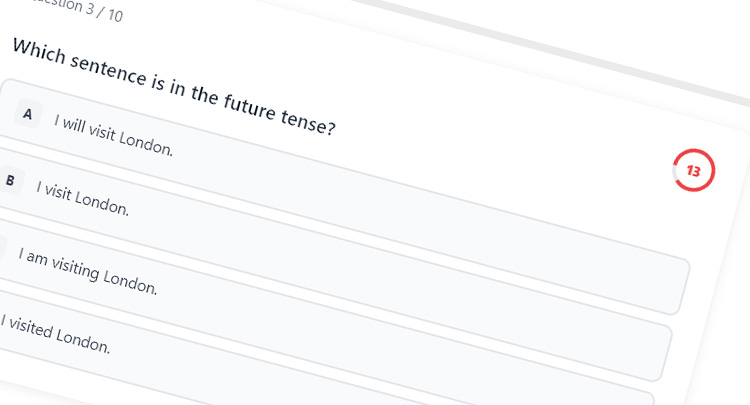
May 17, 2026
Interactive English grammar quiz (try it yourself) Quizzes are one of the simplest ways to test knowledge and keep students...
Read more →Start for free. Choose a plan based on how often you use PinnyBinny.
If you are interested in a custom plan, send us your requirements at support@pinnybinny.com.
A free companion tool. Print response cards once, then use your camera for Live Vote, Fair Picker, or Random Groups. No student accounts or student devices required.
Instantly count A/B/C/D responses from the whole class.
Randomly select a student from the visible cards.
Split the class into balanced groups in seconds.
Create your first board for free in 30 seconds.
Get started now → EN
EN CZ
CZ FR
FR DE
DE ES
ES IT
IT